
AirporterRide Pro · WordPress airport transportation booking
A Better Way to Take Airport Ride Reservations.
Give customers a polished booking experience on your own website. Offer one-way and round-trip requests, calculate fares from configured rates, and review each reservation before confirming the ride.
Built for independent airport transfer and private transportation operators.
Your business. Your website. Your bookings.
Make your website the starting point for every airport ride.
AirporterRide Pro brings the customer booking form and the operator’s reservation tools together in WordPress. Customers request their ride online; you decide when to confirm it.
Built for Transportation Businesses
Match Your Brand
Choose a light or dark customer booking form to complement your website.
Stay in Control
Set your airports, vehicle types and rates, then review requests before confirming.
Know the Trip Details
Collect flight information, passenger counts, luggage and car-seat requests in one place.
A booking form on your own site
Keep the customer experience connected to your transportation business.
Pricing you configure
Calculate fares from route distance and your configured default or vehicle-specific rates.
Reservations you approve
Review trip and payment details before accepting or declining a request.
New in AirporterRide Pro · Form appearance
Your Booking Form. Your Style.
Make your reservation experience feel at home on your website. Choose a clean Light theme or a refined Dark theme from your AirporterRide WordPress settings—no coding required.
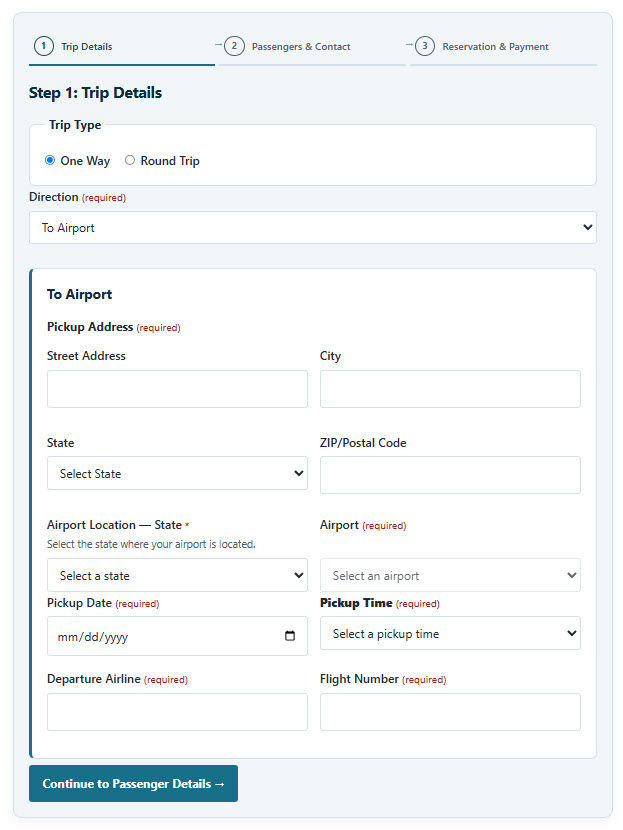
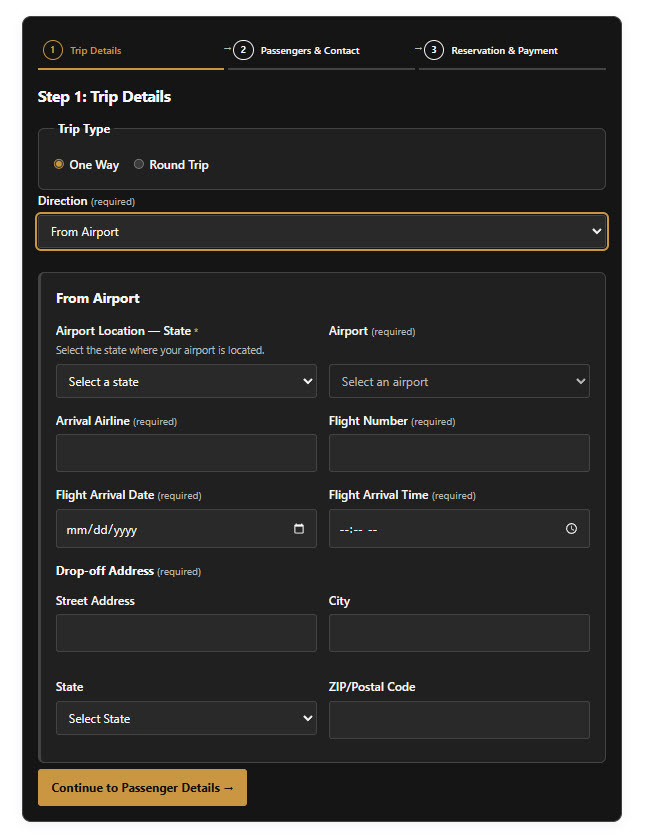
Two distinct looks. One dependable booking workflow.
Both themes support one-way and round-trip booking, 15-minute pickup-time choices, passenger and car-seat details, and the same operator-controlled reservation process. The selected theme carries through the booking steps, including supported Stripe payment fields.
- Switch themes from your WordPress dashboard
- Light stays the default for existing websites
- Dark styling is contained within the AirporterRide form
- No custom CSS or design work required
Everything your booking flow needs
Thoughtful Details for Every Airport Ride.
From the first trip selection to the final operator decision, AirporterRide Pro helps keep information organized.
Easy one-way and round-trip booking.
Customers enter their pickup or arrival details, choose a pickup time in 15-minute increments, and provide flight information in a clear, structured form.
A simpler way to collect the information you need before a ride.
Adults, children and car seats
Collect adult and child counts separately, with a car-seat selector that appears when children are included.
Vehicle types and capacities
Manage your vehicle options and check combined passenger counts and luggage against configured limits.
Distance-based fare estimates
Use route distance and the rates configured by your transportation business.
Reservation and payment management
Review booking information, reservation status and payment status from WordPress.
Light and Dark booking themes
Choose the look that suits your website from an administrator-controlled appearance setting.
Customer and operator notifications
Keep relevant trip and reservation information visible in email communications.
A straightforward reservation process
Your Customer Requests. You Confirm.
Accept detailed booking requests without giving up control of your availability.
- 01
Customer describes the ride
Trip direction, addresses, airport, flight details, pickup time, adults, children and luggage.
- 02
AirporterRide calculates the fare
Routing distance and your configured pricing determine the fare.
- 03
Customer provides payment authorization
Stripe securely handles payment information; the request does not automatically mean a completed charge.
- 04
You confirm or decline
The operator reviews the request. Payment is captured only after confirmation, within the existing authorization workflow.
Made for WordPress operators
Your Operations, in One Familiar Dashboard.
Configure the service you offer and manage incoming ride requests without switching to a separate reservation platform.
- Choose supported airports and routing settings
- Configure vehicle types, capacities and rates
- Select the Light or Dark booking form theme
- Review reservations and passenger details
- Manage confirmations and payment status
How it fits together
01
02
03
Illustrative process overview, not a screenshot of the WordPress dashboard.
See AirporterRide in action
Explore the Booking Experience for Yourself.
See how customers enter trip information and move through the reservation process on your WordPress website.
Demo availability and payment behavior depend on the site’s current configuration.
See the Booking Form on This Page
Explore the AirporterRide Pro customer booking experience below.
Step 1 of 3: Trip Details
Step 3: Reservation & Payment
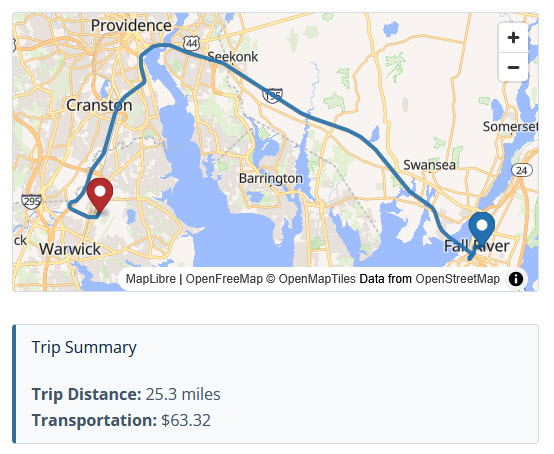
Trip Summary
Trip Distance:
Transportation:
Restoring the saved route map…
AirporterRide Pro licensing
Bring Professional Booking to Your Website.
Choose AirporterRide Pro for a WordPress-based reservation workflow with operator-controlled confirmations, configurable service settings and two booking form themes.
AirporterRide Pro
One Booking System. Two Theme Options.
Includes Light and Dark appearance settings, family-friendly passenger fields, airport trip details, and WordPress reservation management.
Current pricing, license scope, renewals and support terms are displayed at checkout.
Frequently asked questions
Answers Before You Get Started.
A quick guide to the booking workflow and essential integrations.
Can I choose a Light or Dark booking form?
Yes. An administrator can select Light or Dark in AirporterRide Pro settings. Light is the default, and the choice applies to the frontend booking form.
Can customers book one-way and round-trip rides?
Yes. The form supports both trip types and collects the relevant airport, address, flight and pickup information.
Can customers request car seats?
Yes. The form collects adult and child counts separately. When children are selected, customers can specify the number of car seats needed.
How are fares calculated?
AirporterRide Pro uses routing distance and the default or vehicle-specific rates configured by the operator. Routing requires a supported configured provider, such as OpenRouteService.
When is the customer’s card charged?
The customer provides payment information during the request. The operator reviews the booking, and payment is captured only after confirmation within the existing Stripe authorization workflow.
Which external services are needed?
OpenRouteService can provide routing and driving-distance information; it requires an account and API key and has usage limits. Stripe handles secure payment authorization and processing and requires a Stripe account. Provider fees and terms may apply.
Can I see the booking form before buying?
Visit the AirporterRide live demo. Check the demo’s current configuration before submitting real payment information.
AirporterRide Pro
A Booking Form That Fits Your Business.
Professional airport ride requests, a choice of Light or Dark themes, and the control to confirm every reservation.